For accounting and consulting firms
From hours to invoices to your books
Track time against engagements, bill retainers and fixed-fee milestones, and have issued invoices appear in QuickBooks Online or Xero without re-keying.
What you get
Monthly retainers
A retainer creates a draft invoice each month, so recurring clients never get forgotten.
Fixed-fee projects billed by milestone
Bill a milestone when it is reached, and still see the hours that went into it.
QuickBooks Online and Xero sync
Issued invoices flow into your books, with discounts and tax as separate lines.
Dollar budgets with alerts
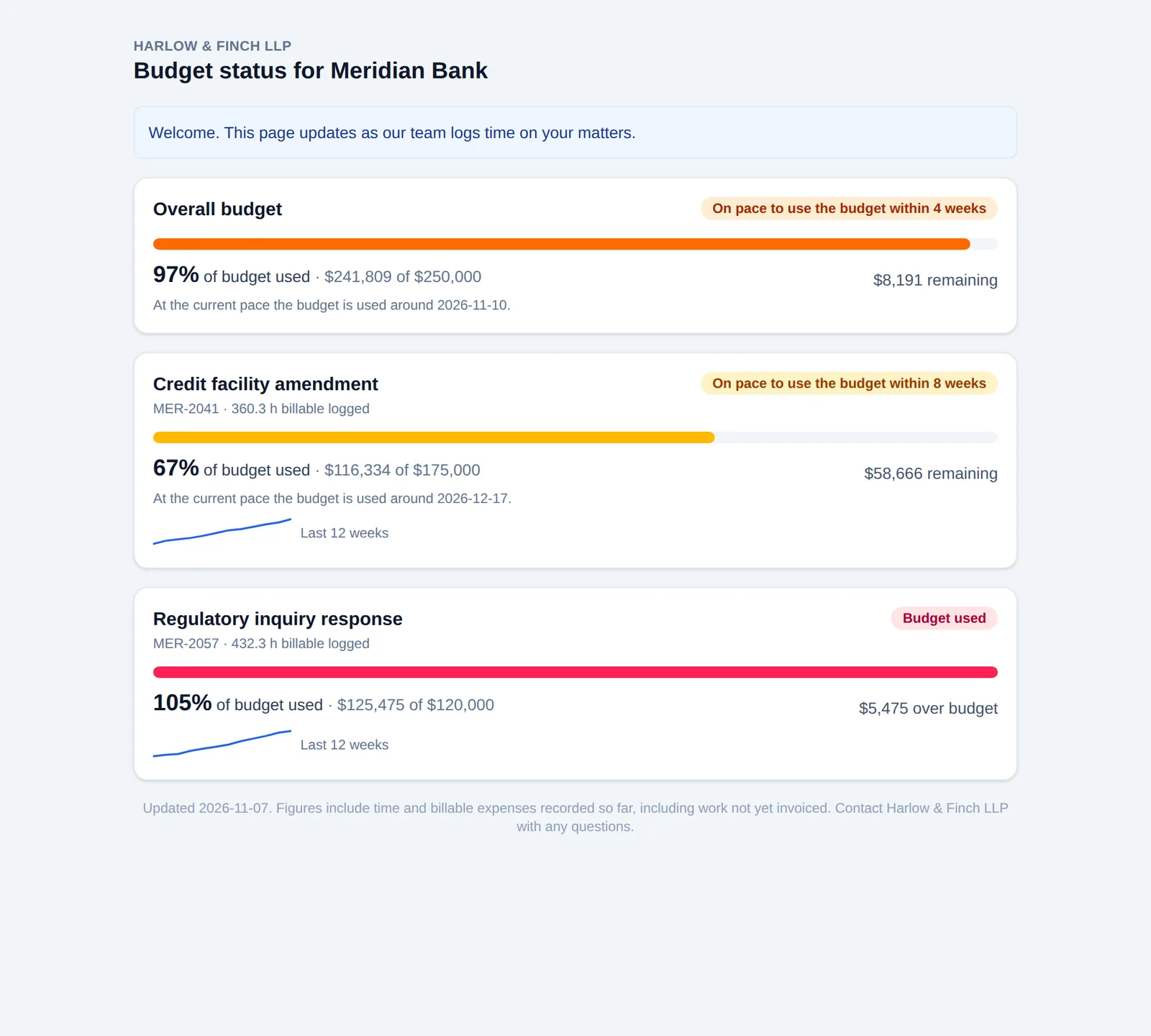
Set a budget on a project or client, measured as billable value or cost, and get alerts at 75, 90 and 100 percent.
Client budget portal
Share a private link showing hours logged and budget used, with nothing the client should not see.
Rate cards and period close
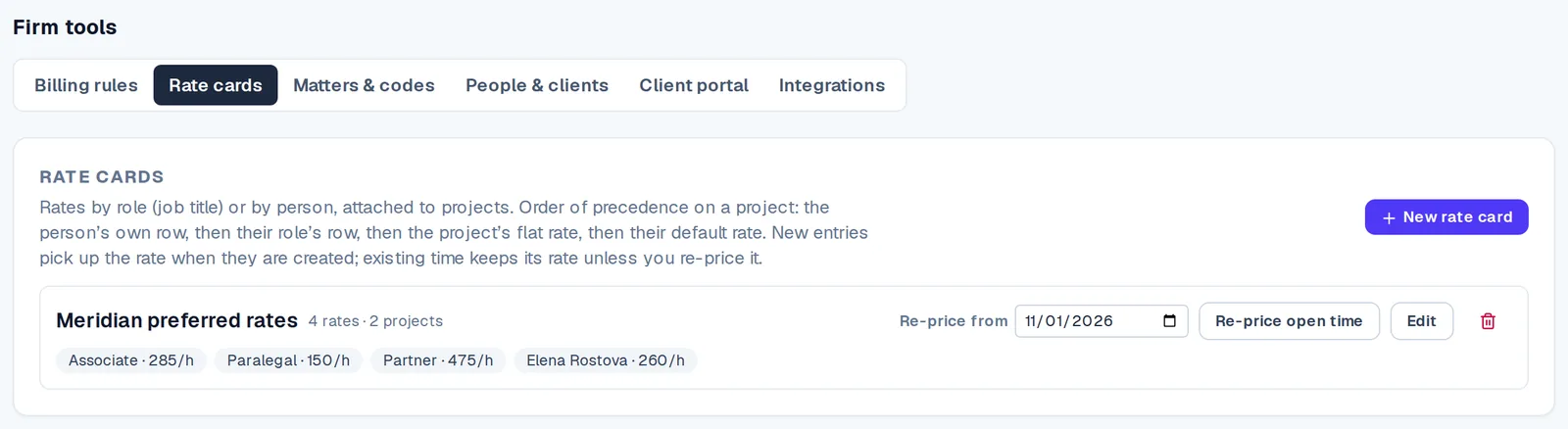
Price time by role or person, then lock the period once the month is reviewed.
How it works
- Step 1
Set rates and budgets
Create rate cards and put a dollar budget on engagements.
- Step 2
Staff log and managers approve
Timesheets, reminders for late ones, and approvals with flags for unusual weeks.
- Step 3
Invoice
Turn approved time, retainers and milestones into invoices you can edit before issuing.
- Step 4
Sync and get paid
Invoices sync to QuickBooks Online or Xero, and clients can pay by card through your own Stripe account.
Questions
- Does Logsheet connect to QuickBooks and Xero?
- Yes. On the Firm plan, issued invoices sync to QuickBooks Online or Xero.
- Can we bill a fixed fee and still track hours?
- Yes. Fixed-fee projects are billed by milestone, and the hours logged against them stay visible for profitability.
- Can clients see their budget?
- Yes. A private client portal link shows hours logged and budget used without requiring a sign-in.
- Where does client card payment money go?
- Payments go through your own Stripe account, so money goes to you and not through Logsheet.
Related